





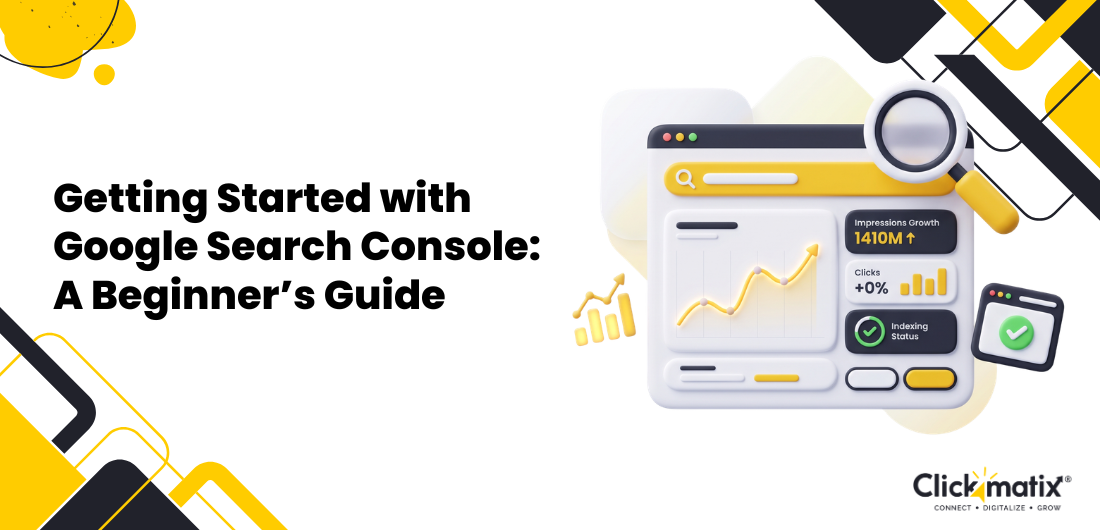



Getting your website to rank well starts with understanding how it performs in Google Search. Google Search Console gives you that insight by showing how Google crawls, indexes, and views your website, making it easier to identify issues that could affect your SEO.
Many website owners assume Google automatically finds and indexes every page. While that’s often true, it doesn’t guarantee every page will perform well. That’s where Search Console becomes valuable.
In this guide, we explain what is Google Search Console, how to set it up, and how to use its reports to improve your website’s search performance.
What is Google Search Console?
Every SEO decision becomes easier when you know how Google is crawling and indexing your website. Google Search Console gives you that visibility.
How it Works
After verifying your website, Google begins collecting search data and displays it in your dashboard. You can monitor clicks, impressions, indexing status, crawl issues, and page performance using information taken directly from Google Search.
Who Should Use It?
If you’re responsible for a website, Google Search Console is worth using. Business owners can keep an eye on their site’s visibility in Google, while SEO professionals and marketers can use the data to monitor keyword performance and uncover optimisation opportunities. Developers can troubleshoot crawling and indexing issues, and bloggers and eCommerce businesses can better understand how their content is performing in search.
You Might Also Like: Google Search Console for SEO
Why Google Search Console is Important for SEO
It’s not always obvious why a page is gaining traffic or suddenly losing visibility. Google Search Console helps answer those questions by showing how your website is performing in Google Search and highlighting issues that may be affecting its results.
Instead of guessing what’s working, you can focus on the pages and keywords that offer the greatest opportunity for improvement.
How to Set Up Google Search Console
Getting started with Google Search Console is straightforward and only takes a few minutes.
Create an Account
Sign in using your Google account and open Google Search Console.
Add Your Website
Choose either a Domain property to track your entire website or a URL Prefix property if you only want to monitor a specific version of your site.
Verify Ownership
Google requires you to verify ownership of the website before you can access its data. You can do this using one of the following methods:
- DNS verification
- HTML file upload
- Google Analytics
- Google Tag Manager
Once your website has been verified, Google Search Console will begin collecting search data, although some reports may take a day or two to populate.
Understanding the Google Search Console Dashboard
The Google Search Console dashboard is where you’ll find an overview of your website’s performance in Google Search, along with any issues that may need your attention.
Overview
The Overview page brings together your key reports, making it easy to check search performance, indexing status, and any important alerts in one place.
Performance Report
Here, you can track clicks, impressions, click-through rate (CTR), average position, and the search queries and pages driving organic traffic.
URL Inspection Tool
Use this tool to check whether a page has been indexed, identify crawl issues, and request indexing after publishing or updating content.
You Might Also Like: CTA best practices to boost conversions
Pages (Indexing Report)
If some pages aren’t appearing in Google Search, this is the first place to check. The Pages report shows which URLs have been indexed and highlights any issues preventing others from being included.
Sitemaps
Use this section to submit your XML sitemap and check whether Google has processed it successfully. It’s also a useful place to spot any sitemap errors that could affect crawling.
Core Web Vitals
This report helps you understand how your website performs for real users by measuring loading speed, responsiveness, and visual stability.
Enhancements
Use this report to check structured data and identify opportunities for rich results that can make your pages stand out in Google Search.
Manual Actions
If Google applies a manual penalty to your website, you’ll find the details and recommended actions here.

Get weekly insights for revenue-shifting results
Sign up for our newsletter and be the first one to know about our exclusive offers, digital marketing news and updates.


Security Issues
This report alerts you to malware, hacked pages, or other security issues that could affect your website’s performance and visibility.
How to Use Google Search Console for SEO
Google Search Console gives you a clear picture of how your website is performing in search. You can spot high-performing keywords, uncover crawl issues, submit updated pages for indexing, monitor mobile usability, and track rich results.
Checking these reports regularly helps you focus on the areas that need attention and make SEO decisions based on actual search data.
How to Submit an XML Sitemap
Submitting an XML sitemap helps Google discover your content more efficiently.
Locate your sitemap URL, open the Sitemaps section in Search Console, submit the URL, and monitor the report for any errors or warnings. Resolving issues quickly helps improve crawling and indexation.
You Might Also Like: XML Sitemap Optimisation
Common Google Search Console Errors & How to Fix Them
Some issues appear more frequently than others. Common examples include:
- Crawled – currently not indexed
- Discovered – currently not indexed
- Soft 404 errors
- Redirect errors
- Duplicate pages
- Server errors
- Pages blocked by robots.txt
Review these reports regularly and fix issues promptly to prevent them from affecting search visibility.
Advanced Google Search Console Tips
Once you’re comfortable with the basics, you can gain deeper insights by using regex filters, comparing date ranges, analysing branded and non-branded queries, tracking individual page performance, exporting reports to Looker Studio, and combining Google Search Console with Google Analytics 4.
Google Search Console Best Practices
To get the most from Search Console:
- Review reports weekly.
- Monitor indexing.
- Keep XML sitemaps updated.
- Fix errors promptly.
- Monitor Core Web Vitals.
- Track seasonal performance.
Google Search Console vs Google Analytics 4
| Feature | Google Search Console | Google Analytics 4 |
| Search performance | ✓ | Limited |
| Website traffic | Limited | ✓ |
| User behaviour | ✗ | ✓ |
| Conversions | ✗ | ✓ |
| SEO insights | ✓ | Limited |
While Google Search Console focuses on search visibility and indexing, Google Analytics 4 helps you understand user behaviour after visitors arrive on your website. Together, they provide a more complete picture of website performance.
Conclusion
Better SEO starts with understanding how your website performs in Google Search. Google Search Console provides the insights you need to fix issues, uncover new opportunities, and make informed decisions that support long-term growth.
Are you looking to improve your website’s search performance?
The team at Clickmatix can help. Call 1300 254 264 to discuss a tailored SEO strategy designed around your business goals and growth opportunities.
FAQs
Is Google Search Console free?
Yes. Google Search Console is completely free for website owners and managers.
How often is data updated?
Most reports are updated within 24–48 hours.
Can I improve rankings using Search Console?
While Search Console doesn’t directly improve rankings, it highlights issues and opportunities that can strengthen your SEO.
What’s the difference between Search Console and Google Analytics?
Search Console focuses on Google Search performance, while Google Analytics measures visitor behaviour on your website.
How long is data stored?
Google Search Console stores performance data for up to 16 months, making it easier to review long-term SEO trends.
Can multiple users access the same property?
Yes. You can give different access levels to team members, developers, or agencies, allowing them to manage the same Google Search Console property.
In search for strategic sessions?
Let us understand your business thoroughly and help you
strategies your digital product.




It's time to call your business-
a brand!
 Australian Owned Agency
 Save Time and Money
 Unbeatable Value
 Where Work Gets Done

free Ecommerce SEO guide for Higher Sales & Conversion
THE ULTIMATE MARKETING GUIDE FOR LAWYERS

Youtube Ads Guide How to Advertise on Youtube
free Ecommerce SEO guide for Higher Sales & Conversion
It's time to call your business-
a brand!
- Australian Owned Agency
- Save Time and Money
- Unbeatable Value
- Where Work Gets Done



The Game-Changing Ecommerce SEO Guide That Will Blow Your Mind & Sales
With this Ecommerce SEO Guide, you'll be able to:
- Develop a Ecommerce SEO strategy.
- Build a content marketing strategy that aligns with your business goals.
- Convert your website visitors into paying customers.

Youtube ads guide how to advertise on youtube
With this Youtube ads Guide, you'll be able to:
- Develop a Youtube ads strategy.
- Build a type of ads of your own that aligns with your business goals.
- Generate revenue from youtube ads.
It's time to call your business-
a brand!
- Australian Owned Agency
- Save Time and Money
- Unbeatable Value
- Where Work Gets Done