





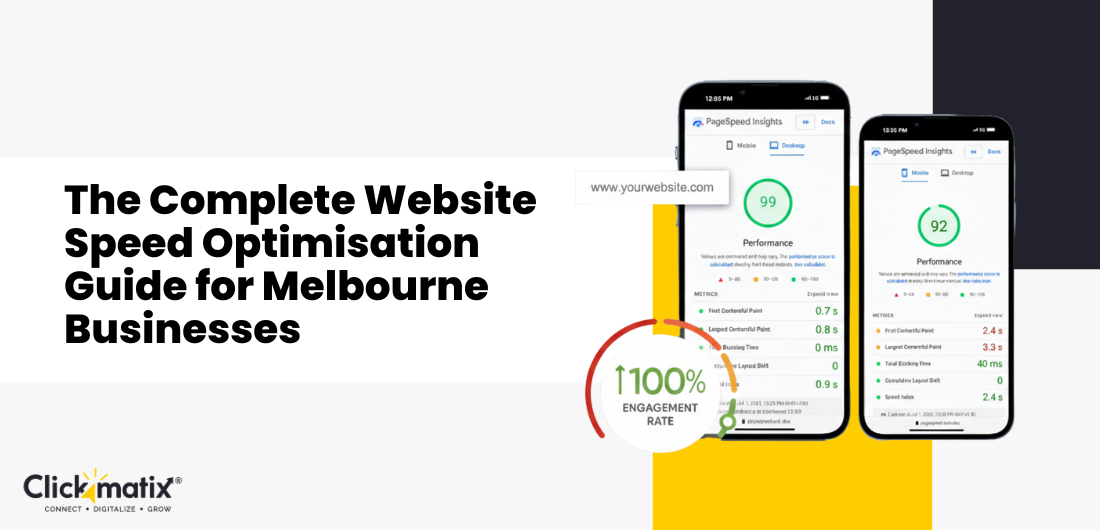



In a city like Melbourne, where everything from our coffee orders to our tram arrivals is tracked to the second, nobody has the patience for a spinning loading icon.
Every single second your website takes to load isn’t just a technical metric. It’s a direct hit to your bottom line. It’s a lost lead, a frustrated customer, and a signal to Google that your business isn’t the best result for their users.
Melbourne users are particularly impatient. They’re searching for you while commuting on the 96 tram, waiting for a flat white in a CBD laneway, or frantically comparing options between back-to-back meetings. If your site takes more than three seconds to load, they aren’t just annoyed. They’re gone. And usually, they go straight into the arms of your faster competitor.
Google isn’t guessing about this, either. Page speed is a heavy-hitting, direct ranking factor, especially for mobile searches. If your site is slow, you rank lower. If you rank lower, you get less traffic. It’s a cycle that ends in lost revenue. For Melbourne businesses competing in both local and national markets, website speed optimisation isn’t a “technical luxury.” It is a competitive necessity.
In this comprehensive website speed optimisation guide, we’re going to peel back the curtain on exactly how to make your site fly. We’ll cover everything from Core Web Vitals and Australian-specific hosting to image compression and code minification.
Why Speed is the Lifeblood of Your Melbourne Business
Before we get into the “how-to,” we need to talk about what’s actually at stake. If you can’t justify the time or investment in speed, your competitors will.
The Speed-Revenue Connection
The financial impact of page speed is backed by mountains of data. It’s not just a “feel-good” metric; it’s a conversion metric.
- The 7% Rule: Research consistently shows that a 1-second delay in page load time can reduce conversions by 7%. If your site generates $\$10,000$ a month, that 1-second lag is costing you $\$700$ every single month.
- The Abandonment Threshold: Once you hit the 3-second mark, 40% of your users will simply close the tab. That is nearly half of your potential customers gone before they even see what you offer.
- The Amazon Benchmark: Amazon famously calculated that every $100\text{ ms}$ (that’s a tenth of a second!) of latency cost them 1% in sales. While you might not be Amazon, the psychology of the user remains the same. Faster is always better.
User Experience in the Melbourne Market
Australians are among the highest mobile users globally. In Melbourne, we have a unique “commuter culture.” A significant portion of your audience is accessing your site on mobile networks while moving through the city.
Whether it’s a spotty Wi-Fi connection at a café in Carlton or a 4G signal in a tunnel under the CBD, your site needs to be light enough to perform under pressure. When a site loads instantly, it builds trust. It tells the user that your business is professional, efficient, and values their time.
Google’s Ranking Factors (The SEO Side)
Google’s mission is to provide the best user experience. A slow site is a bad experience. That’s why Google uses multiple speed metrics as ranking signals:
- Core Web Vitals: These are the specific metrics Google uses to measure “real-world” user experience. We’ll dive deep into these shortly.
- Mobile-First Indexing: Google predominantly uses the mobile version of your site for indexing and ranking. If your desktop site is fast but your mobile site is a mess, your rankings will suffer across the board.
- Page Experience Signals: Speed, mobile-friendliness, HTTPS security, and the absence of intrusive pop-ups combine to create your overall “Page Experience” score.
Understanding Core Web Vitals (The “Big Three”)
Google doesn’t just look at “total load time” anymore. They look at how the page feels as it loads. They do this through three key metrics called Core Web Vitals.
Largest Contentful Paint (LCP)
What it is: This measures how long it takes for the largest visible element on the screen to load. This is usually your hero image, a large heading, or a video thumbnail.
- The Target: Under $2.5\text{ seconds}$ is considered “Good.”
- Why it matters in Melbourne: If a user in South Yarra is looking for a plumber, they need to see that your site is loading something useful immediately. If the LCP is delayed, they feel like the site is broken.
- What breaks it: Massive image files, slow server response times, and “render-blocking” JavaScript (code that stops the rest of the page from showing up).
First Input Delay (FID) / Interaction to Next Paint (INP)
What it is: This measures responsiveness. When a user clicks a button, taps a link, or opens a menu, how long does the browser take to actually do it?
- The Target: FID should be under $100\text{ ms}$.
- The Frustration Factor: We’ve all been there, you tap a “Submit” button and… nothing happens. You tap it again. And again. This is poor FID/INP. It makes your site feel “janky” and unreliable.
- What breaks it: Heavy JavaScript execution. If the browser is busy “thinking” about a bunch of complex code, it can’t respond to the user’s click.
Cumulative Layout Shift (CLS)
What it is: This measures visual stability. Have you ever been reading a paragraph when suddenly an image loads, and the text jumps down by 3 inches? Or worse, you went to click “Cancel,” but the page shifted, and you accidentally clicked “Buy Now”?
- The Target: A score of under $0.1$.
- The Local Example: Imagine a Melbourne restaurant site. A user is trying to click the “Book a Table” button, but a late-loading banner shifts the button down just as they tap. They end up clicking on an ad or a different link. That is a lost conversion and a frustrated customer.
- What breaks it: Images without defined dimensions, ads that pop in late, and fonts that load slowly and change size.
The Melbourne Advantage: Australian Hosting Solutions
One of the most common mistakes Melbourne businesses make is choosing a host solely on price, often resulting in a server in the United States or Europe.
Why Hosting Location is Physics, Not Just Tech
Data travels as pulses of light through fibre optic cables. While light is fast, it isn’t instantaneous.
- Latency: If your server is in Los Angeles, every “request” for a file on your site has to travel from Melbourne across the Pacific to LA and back again.
- The “Time to First Byte” (TTFB): This is the delay between a user clicking your link and the server sending the very first piece of data. Australian hosting can reduce this delay by $200\text{ ms}$ to $500\text{ ms}$ compared to US-based hosting. In the world of web speed, half a second is an eternity.
Recommended Australian Hosting Providers
You want a host that has data centres in Sydney or, ideally, Melbourne.
- VentraIP: * The Vibe: Australian-owned and operated.
- Why they’re great: They have data centres in both Sydney and Melbourne. Their support is local, and their performance for small- to medium-sized businesses is top-tier.
- SiteGround:
- The Vibe: International power with a local footprint.
- Why they’re great: They use the Google Cloud Platform and have a dedicated Sydney data centre. Their WordPress-specific caching is some of the best in the business.
- Digital Pacific:
- The Vibe: Reliable and focused on Australian businesses.
- Why they’re great: They are famous for their support and have a long history of serving the Melbourne market.
- Premium Managed Hosting (Kinsta / WP Engine):
- The Vibe: “Set it and forget it” for high-traffic sites.
- Why they’re great: These are more expensive, but they offer enterprise-level performance. Both have Sydney nodes and handle all the technical heavy lifting for you.
Content Delivery Networks (CDNs) for Australian Sites
Even if you have great Australian hosting, a CDN is your best friend. A CDN is a network of servers spread out globally that store “cached” (saved) versions of your site.
How it Helps a Melbourne Business
Let’s say your business is based in Richmond. Most of your customers are in Melbourne, but you occasionally get traffic from Perth, Brisbane, or even London.
A CDN like Cloudflare has “edge servers” in almost every major city. When a user in Melbourne visits your site, the CDN serves the images and files from a server right here in Melbourne, rather than making the server in Sydney do all the work.
Popular CDN Options:
- Cloudflare: The most popular choice. They have a massive Australian presence and an excellent free tier.
- Bunny.net: Very affordable, very fast, and extremely easy to set up for WordPress.
- Amazon CloudFront: Great for developers who are already using the AWS ecosystem.
Image Optimisation: Trimming the Fat
Images are almost always the biggest files on a webpage. If you haven’t touched your images, they are likely accounting for 70% of your load time.
Compression: Lossy vs. Lossless
- Lossy Compression: This strips out data that the human eye can’t really see. You can often reduce a file size by 80% with almost zero visible change in quality.
- Lossless Compression: This shrinks the file without touching a single pixel. The savings are smaller, but the quality remains perfect.
The Modern Standard: WebP and AVIF
Stop using JPEGs and PNGs wherever possible.
- WebP: This is Google’s preferred format. It’s significantly smaller than JPEG but maintains high quality.
- AVIF: The new kid on the block. It offers even better compression than WebP, though it’s still gaining full browser support.
Responsive Images and “srcset”
Don’t serve a massive $4000\text{px}$ wide image to a user on an iPhone. They don’t need it, and their phone has to work harder to “shrink” it to fit the screen.
Using srcset in your code tells the browser: “If the screen is small, use this small image. If it’s a desktop, use the big one.” Most modern WordPress themes do this automatically, but it’s worth double-checking.

Get weekly insights for revenue-shifting results
Sign up for our newsletter and be the first one to know about our exclusive offers, digital marketing news and updates.


The Magic of Lazy Loading
Lazy loading is a “why didn’t we think of this sooner?” technology. It tells the browser only to load images as the user scrolls down to them. If you have 20 images on a page, but the user only looks at the top two, the other 18 never get downloaded. This saves massive amounts of bandwidth and improves your LCP instantly.
Caching Strategies – The “Cheat Sheet” for Your Server
Caching is the process of storing a “ready-to-go” version of your website so the server doesn’t have to build it from scratch every time someone visits.
Browser Caching
This tells the visitor’s browser: “Hey, my logo isn’t going to change for the next year. Just save it on the user’s phone so they don’t have to download it again next time they visit.” This makes repeat visits feel lightning-fast.
Page Caching
Without caching, every time someone visits a page, your server has to talk to a database, run some PHP code, and build the HTML. This takes time.
Page caching takes a “snapshot” of that finished page and serves it as a static file. This can reduce your server response time from $2\text{ seconds}$ to $50\text{ ms}$.
Object Caching (Redis / Memcached)
This is for more complex sites (like e-commerce stores). It caches the results of database queries so your site doesn’t have to “ask” the database the same questions over and over again.
Code Optimisation: Writing for Speed
You might have a beautiful design, but if the “engine” under the hood is messy, it’s going to run slowly.
Minification
Minification is the process of removing every unnecessary character from your code. This includes spaces, comments, and new lines. To a human, it looks like a mess. To a browser, it’s a perfectly readable, much smaller file.
Dealing with JavaScript (The “Silent Killer”)
JavaScript is usually what makes a site “interactive” (sliders, pop-ups, forms), but it’s also the heaviest thing for a browser to process.
- Defer: This tells the browser to load the JavaScript only after the main content of the page has finished loading.
- Async: This tells the browser to download the script in the background without stopping the rest of the page.
Critical CSS
When a page loads, the browser usually waits until it has downloaded the entire CSS file before it shows anything.
“Critical CSS” is the practice of taking just the CSS needed for the very top of the page (the “above the fold” part) and putting it right in the HTML. This allows the user to see the top of your site instantly while the rest of the styles load in the background.
Third-Party Scripts: Managing the Guests
We all love our tools – Google Analytics, Facebook Pixels, Hotjar, HubSpot, Chat widgets. But every one of these is a “third-party script” that your site has to go out and fetch from another server.
The Performance Audit
Do you really need that fancy chat widget on every single page? Does your Facebook Pixel need to load before your hero image?
The best way to handle these is through Google Tag Manager. It allows you to manage all these scripts in one place and control when they load, ensuring they don’t jump the queue and slow down your site’s primary content.
Database Maintenance: Keeping it Lean
If you use WordPress, your database is like a digital attic. Over time, it gets cluttered with:
- Post Revisions: Every time you hit “Save,” WordPress keeps a copy of the old version.
- Spam Comments: These can grow into the thousands if not cleaned.
- Expired Transients: Temporary data that is no longer needed.
Using a plugin like WP-Optimize or Advanced Database Cleaner once a month can keep your database snappy, which in turn keeps your site responsive.
Server-Level Optimisation (The Pro Stuff)
If you have a good host, they likely handle this, but it’s good to know what to look for:
- Gzip or Brotli Compression: This compresses your text files (HTML, CSS, JS) before they leave the server. Brotli is the newer, better version. Ask your host if they support it.
- HTTP/2 or HTTP/3: These are modern protocols that allow the browser to download multiple files at once over a single connection. It’s like turning a one-lane road into a six-lane highway.
- PHP Version: If your site is still running on PHP 7.4, you are missing out on significant speed gains. Ensure you are on the latest stable version (currently 8.1 or higher).
Monitoring and Testing: How to Know You’re Winning
You can’t manage what you don’t measure. Here are the tools you should be using:
- Google PageSpeed Insights: This is the gold standard. It gives you your Core Web Vitals data and specific, actionable advice.
- GTmetrix: Excellent for seeing a “waterfall” chart of exactly which files are taking the longest to load.
- Pingdom: Good for testing speed from specific locations (make sure you select the Sydney or Melbourne test server!).
- Google Search Console: Check the “Core Web Vitals” report. This shows you how actual users are experiencing your site over the last 90 days.
The Melbourne Business Speed Checklist
To wrap this up, here is your “Quick-Start” checklist. If you do these five things, you will be faster than 70% of your competitors:
- Move to Australian Hosting: Get your data centres in Sydney or Melbourne.
- Optimise Your Images: Switch to WebP and use a compression tool.
- Implement Caching: Use a plugin like WP Rocket or LiteSpeed Cache.
- Fix Your Core Web Vitals: Focus on LCP (images) and CLS (stability).
- Audit Your Plugins: If you haven’t used a plugin in three months, delete it.
Frequently Asked Questions
-
What is a “good” load time for a Melbourne site?
Aim for under $3\text{ seconds}$ on a mobile connection. If you can get under $2\text{ seconds}$, you are in the top tier of performance.
-
Does speed really affect my actual rankings?
Yes. Google has confirmed that speed (specifically Core Web Vitals) is a tie-breaker. If you and your competitor have equally good content, the faster site will win every time.
-
Is professional website speed optimisation worth the cost?
Think of it as an investment in conversion. If an $800$ optimisation project increases your conversion rate from 2% to 3%, it will pay for itself in a matter of weeks or months.
-
Should I use a “one-click” speed plugin?
They are a great start! Plugins like WP Rocket are fantastic. However, for a truly “elite” site, you usually need a combination of a good plugin and some manual code/server tweaks.
Ready to Accelerate Your Business?
Website speed isn’t a “set and forget” project. It’s an ongoing commitment to your customers. In a city like Melbourne, where we pride ourselves on being world-class, your digital presence should reflect that. Fast sites win. They rank higher, they convert better, and they make your customers happy.
At Clickmatix, we live and breathe this stuff. As a leading SEO agency in Melbourne, We don’t just “check boxes.” We dive deep into your site’s architecture to find every millisecond of wasted time. We’ve helped Melbourne businesses transform sluggish, frustrating websites into lightning-fast lead-generation machines.
Stop losing customers to a slow load time. Stop watching your competitors outrank you because their site is snappier.
In search for strategic sessions?
Let us understand your business thoroughly and help you
strategies your digital product.

It's time to call your business-
a brand!
 Australian Owned Agency
- Save Time and Money
- Unbeatable Value
- Where Work Gets Done
 Australian Owned Agency
 Save Time and Money
 Unbeatable Value
 Where Work Gets Done
free Ecommerce SEO guide for Higher Sales & Conversion

THE ULTIMATE MARKETING GUIDE FOR LAWYERS

Youtube Ads Guide How to Advertise on Youtube
free Ecommerce SEO guide for Higher Sales & Conversion

It's time to call your business-
a brand!
- Australian Owned Agency
- Save Time and Money
- Unbeatable Value
- Where Work Gets Done



The Game-Changing Ecommerce SEO Guide That Will Blow Your Mind & Sales
With this Ecommerce SEO Guide, you'll be able to:
- Develop a Ecommerce SEO strategy.
- Build a content marketing strategy that aligns with your business goals.
- Convert your website visitors into paying customers.

Youtube ads guide how to advertise on youtube
With this Youtube ads Guide, you'll be able to:
- Develop a Youtube ads strategy.
- Build a type of ads of your own that aligns with your business goals.
- Generate revenue from youtube ads.
It's time to call your business-
a brand!
- Australian Owned Agency
- Save Time and Money
- Unbeatable Value
- Where Work Gets Done