





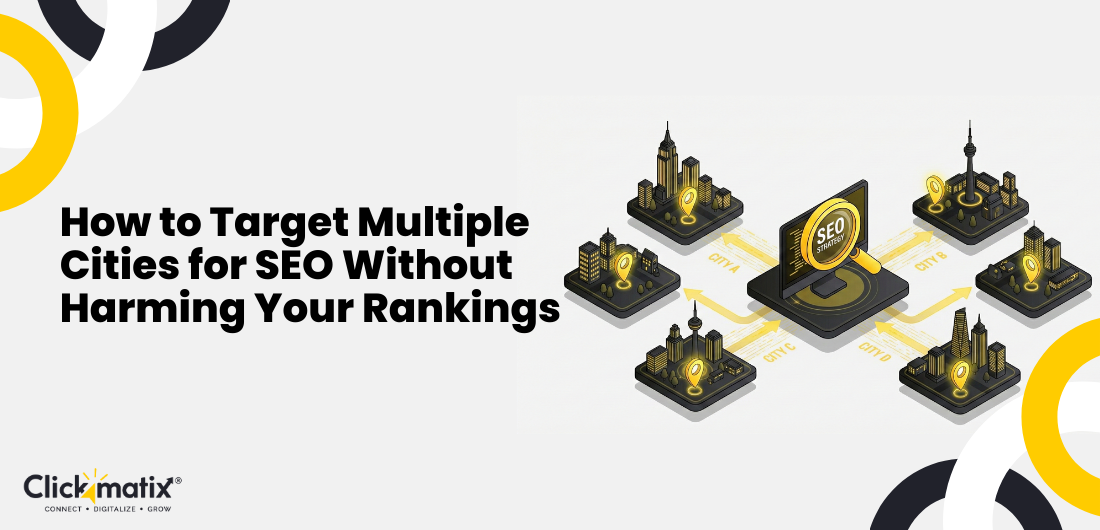



You’re running a business—maybe pest control, plumbing, digital marketing, or legal services—and you’ve carved out a comfortable niche in one suburb. It’s going well, but you want more. You want clients from all over town, maybe even from different cities altogether. That’s where how to do local SEO for multiple locations becomes essential to expanding your reach and attracting customers across multiple areas.
But when you try to reach beyond your comfort zone, there’s a catch. You can’t just copy-paste your homepage and swap “Suburb A” for “City B.” That rarely works. Search engines sniff out shortcuts, and they don’t reward them. A trusted SEO company understands this and ensures each location page provides real value rather than recycled content.
Expanding your presence across cities can seriously grow your reach and revenue, if done right. Getting found in multiple city searches means more visibility, more calls, more clients. But doing local SEO for multiple locations requires care. Duplicate pages, thin content, or cookie-cutter city pages can get you penalised.
In this post, we’ll walk you through how to build solid, location-based SEO that helps you rank across cities, without hurting your current rankings. You’ll learn why city pages for SEO matter, how to build them properly, content and technical tips, what to avoid, and when it’s okay to show up for cities where you don’t have a physical office.
Let’s get started.
Why Targeting Multiple Cities Matters for Australian Businesses
These days, a lot of people search with “near me” or use suburb‑specific queries when they look for a service. Someone needing a plumber might type “plumber in Geelong” or “Melbourne pest control near me.” If your business only shows up for one area, you’re missing out. Local city SEO helps you catch those queries.
Cities like Sydney, Melbourne, Brisbane, Perth, and Adelaide are crowded with service providers. Beyond that, regional towns are getting more competitive too. If you stay confined to your suburb, you might never tap into adjacent or fast-growing markets.
Having SEO for multiple cities lets you cast a wide net. You expand your service area, reach potential clients you didn’t consider before, and build trust in new neighbourhoods. For a tradie, health provider, or digital agency, that could mean steady pipelines of leads from different regions.
Many businesses trying to scale make mistakes, though. They assume it’s enough to duplicate their main page, swap the city name, and hit publish. That can backfire. Low-value pages, poor structure, and a lack of local relevance often lead to poor rankings or, worse, penalties.
That risk makes city‑spanning SEO tricky. Best to do it carefully.
The Biggest Mistake – Duplicating Location Pages
One of the most common mistakes when targeting multiple cities is simply copying a page and changing the city name. “Pest control Melbourne” becomes “Pest control Sydney.” You leave all the text identical, use the same images, and maybe reuse testimonials. That’s a red flag. These are among the Common SEO Errors businesses make when trying to scale local pages.
Search engines don’t like pages that add little value. When your city pages are almost identical, they’re considered duplicate or thin content. That can lead to ranking suppression.
Imagine having 10 pages that all say the same thing, only city names differ. That doesn’t help search engines or users. It might even hurt your overall site credibility.
Using the same testimonials everywhere, copy‑pasting service descriptions, or creating generic “city‑swap” pages, won’t fly. Modern algorithms can detect patterns like that, especially when there’s no local uniqueness or relevance.
You might end up outranking yourself, or get ignored altogether.
If your goal is to really appear in multiple city searches with one website, you need pages that feel local, helpful, and distinct enough to stand on their own.
How to Create High‑Performing City Landing Pages
-
Write Unique, Helpful Content for Each City
Make each city page feel like it was built for people in that area. Mention landmarks, suburbs around the city, typical climate or common issues. For example, for a pest‑control business in Cairns you might talk about tropical pests, humid weather, or termite seasons. For a Melburnian audience you might focus on rodents or spiders that come out after rain.
Use local stats if you can. Maybe a suburb has a known pest problem or a certain kind of demand. Better if you’ve actually done work in that city: mention a past job, a success story, or a satisfied customer. That adds relevance.
Include local FAQs. People in different cities often have different concerns. Maybe in one city pests are rodents, in another it’s insects. The goal is to make each page genuinely useful for the local visitor.
-
Tailor Your Services to Local Needs
Think about this: service requirements vary across states and climate zones. Traffic law advice in NSW will differ from that in VIC. Pest infestation types will vary between coastal areas, temperate zones, tropics. Home‑service needs may shift city to city.
Reflect that in your page. Maybe in Brisbane you offer termite‑resistant treatments; in Perth you highlight heat‑related home maintenance; in Adelaide you emphasise weatherproofing. That shows you know the local context, not just generic service.
When you speak the local language of problems, like weather, legal environment, and common issues, you build trust. That helps you look like a real, competent player in that city.
-
Add Local Proof
Nothing beats social proof. If you have customer reviews from clients in that city, include them. If you completed a job in Parramatta, Geelong, or Gold Coast, show photos or short case summaries.
Real images of actual work, before/after shots, or location-specific visuals make a difference.

Get weekly insights for revenue-shifting results
Sign up for our newsletter and be the first one to know about our exclusive offers, digital marketing news and updates.


If you can’t show photos or real jobs, at least use contact‑city testimonials or anonymised but location‑tagged feedback. That gives the page authenticity and demonstrates you operate there.
-
Improve On‑Page SEO Properly
Get your page structure right. Have a clear H1 (“Pest Control Services – Brisbane” or “Melbourne Traffic Law Advice”). Use H2 or H3 headings for services, FAQs, testimonials, etc.
Craft a title tag and meta description that mentions the city. Make sure the first paragraph greets the local audience. Use city name and service variations naturally.
Use image alt text containing location and service keywords. If you have structured data capabilities, implement schema markup for a local business or service. Those little touches help search engines understand your page is relevant to that city’s audience.
Avoid the temptation to stuff keywords. The goal is readability for humans first, search engines second.
Smart Content Strategies for Multi‑City SEO
-
Use a “Hub + Spoke” Structure
Think of your main service page as the hub; the central resource where you explain all your services broadly. Then each city page becomes a spoke, tailored versions focusing on that location.
This helps avoid cannibalisation where multiple pages compete for the same keyword. It also gives structure. The hub builds general authority; the spokes build local relevance.
-
Build Supporting Content for Each City
Don’t stop at a city landing page. Create additional content that supports it, like blog posts, guides, and case studies. For instance you could write “Top 5 plumbing issues households face in Brisbane summers,” or “What kind of termite treatments are common in Melbourne suburbs.”
These posts can link back to the city landing page, giving more depth and context. It builds wider relevance for local searches, beyond just service pages.
City-specific content demonstrates that you understand the local environment. That helps with both user trust and search algorithm trust.
-
Internally Link the Right Way
Make sure your internal linking reflects the city structure. From the hub page link to each city‑page. From city pages link back to hub or to related services. If you serve multiple suburbs within a city, link those suburb pages appropriately.
For example, from “Sydney pest control” page you could link to “Parramatta pest control” or “Liverpool pest control.” That builds a logical site architecture.
Internal links help spread SEO value around. They also guide users to explore more pages, thus boosting time on-site, reducing bounce, improving engagement.
Location‑Based On‑Page SEO Checklist
- Use natural local keyword variations.
- Include the city name in your H1.
- Mention the city in the first paragraph.
- Use city in page title and meta description.
- Use city or suburb names in image alt text.
- Structure your URL in a logical, scalable way (for example: /service-city/).
- Embed a map if you have a physical presence or a service area covering that city.
- Maintain consistent NAP (Name, Address, Phone) details if you show them.
- Add unique FAQs relevant to that city’s audience.
- Include call‑to‑action tailored for that city (e.g. “Call us for pest control in Brisbane today”).
- Link internally from related blog posts or service pages.
Follow these and you set a good base for location‑based SEO that treats each city page as real, unique content.
Should You Create City Pages If You DON’T Have a Physical Office There?
Yes, but tread carefully. You can still rank for cities even without a physical office, especially if you operate as a service-area business (for example: tradies, contractors, or agencies that serve different cities).
Search engines recognise that many service providers cover multiple areas, not just one address. As long as your pages are honest, transparent, and clearly explain that you serve remotely / on call / by appointment, you’ll be fine.
Avoid listing a fake address or a virtual office just to make it seem like you’re “local.” That can lead to penalties or trust issues. Instead focus on showing credibility, local testimonials, regional knowledge, proof of previous work, accurate contact details, and clarity about your service model.
When done right, city pages let you expand reach beyond where you sit physically, without misleading clients or search engines.
How to Use Google Business Profiles for Multiple Cities
If you run a service-area business and don’t have a physical office in every city, it’s better to skip creating separate business profiles for each city.
Using a single profile and marking service areas is often the safer route. Don’t use PO boxes or virtual offices just for listing. That could get your profile suspended.
Instead: choose service areas that reflect where you actually work. Keep address information clear and legitimate. Strengthen local citations (directories, local listings, community boards) to build trust, without pretending to have offices everywhere.
Your city landing pages + proper citations can do most of the heavy lifting. If you have an office in one city, feel free to list that. For the rest, let honest content and clear service-area messaging do the work.
Local Link‑Building Strategies That Actually Work
-
Local Citations
Get listed in local directories relevant to each city you target. Think local business directories, community sites, niche directories (for trades, services, legal, digital marketing, etc.).
Consistent citations across cities help signal legitimacy. Make sure your name, phone number, and other details match across directory entries and your landing pages.
-
Local Partnerships
Consider sponsoring local events, teaming up with community groups or clubs, or collaborating with local news outlets. These partnerships can lead to mentions or links on local sites, which improves your authority in that city.
Being active in each target city (even remotely or digitally) shows search engines that you’re more than a digital footprint; you’re engaged and relevant.
-
PR & Outreach Per City
Send localised pitches to blogs or business sites in each city. For example: “Top 10 SEO agencies in Brisbane” or “Environmental pest control resources in Adelaide suburbs.”
Guest posts, local-feature articles, or spotlight stories can attract valuable local backlinks, each tied to a specific city page.
-
Get Local Reviews (If Applicable)
Encourage customers from each city to leave reviews. Real feedback tagged to local landmarks or suburbs adds credibility. It shows you have actual experience serving people there, not just ambitions.
When users see reviews from their own city, they’re more likely to trust you. And search engines pick up on that trust signal too.
Technical SEO to Support Multi‑City Ranking
- Your content and structure matter, but the technical foundation matters too. Make sure your website loads fast, and that internal linking is neat and logical.
- Avoid thin content on any city or suburb page. If a page has too little substance, search engines might ignore it or treat it as filler.
- If you ever have similar content, use canonical tags or other signals to tell search engines what’s original.
- Use a clear, scalable URL structure for city pages. For example /service‑melbourne/, /service‑brisbane/, /service‑geelong/, etc.
- Add structured data (for example LocalBusiness or Service schema) if your CMS or site supports it. That helps search engines understand that your page is about a service in a specific location.
- A clean technical setup plus thoughtful content gives your multi‑city SEO efforts a strong backbone.
Common Multi‑City SEO Mistakes to Avoid
- Stuffing every city name into a page (keyword stuffing).
- Listing virtual offices or fake addresses.
- Creating dozens of thin, low-value pages.
- Writing city pages once and never updating them.
- Building a messy internal link web (confusing for users and crawlers).
- Ignoring city‑specific expertise or signals (like tailored content or local proof).
These mistakes often do more harm than good.
FAQs
Q1: Can I rank in a city even if my business isn’t physically located there?
Yes. It’s possible if you operate as a service-area business. Create honest city pages, show past work, use local reviews, and clearly state your service reach. Avoid fake addresses or misleading info.
Q2: How many location pages should I create?
Quality beats quantity. It’s better to have a handful of well-built city pages than dozens of thin, duplicated ones. Build pages only for cities you plan to serve seriously.
Q3: How long does multi-city SEO take to work in Australia?
It depends on competition. For major markets like Sydney or Melbourne it could take several months before you rank well. For smaller regional cities, you might see results faster. say 8 to 12 weeks, if pages are high-quality and optimisation is good.
Q4: Do I need separate Google Business Profiles for each city?
Not if you don’t have a real office in each city. Stick to one profile and mark service areas. Creating multiple profiles with fake addresses can get you penalised.
Q5: Should each city page have its own blog posts?
Not strictly necessary, but it helps. City‑specific blog posts or local guides add depth, provide context, and support your city page’s relevance.
Q6: Can duplicate service descriptions hurt my rankings?
Absolutely. Duplicate or near-duplicate content weakens your SEO. If every city page reads the same, search engines see little value in multiple pages.
Growing Your Business the Right Way
Targeting multiple cities with one website isn’t as simple as copy and paste. It requires real work – unique content, thoughtful structure, local relevance, technical care. But when done right it opens up new markets, builds trust, and delivers real leads across towns.
Multi-city SEO is not a quick hack. It’s a long-term play. A strategy built on honest local content, proper structure, and thoughtful linking can help you grow steadily. One city at a time.
Want Help Building Multi‑City SEO for Your Business?
At Clickmatix, we’ve helped clients reach clients across cities, from Melbourne to Brisbane, Perth to Adelaide. We build custom city landing pages, craft local content that speaks human, set up a clean site structure, and create location‑based strategies that actually convert.
If you’re ready to expand your service reach across Australia without risking your existing rankings, let’s chat. Get a FREE multi‑city SEO audit today. We’ll map your target cities, outline what needs to be done, and set you up for growth on your terms.
Call 1300 159 314 today to learn how Clickmatix can future-proof your SEO strategy and help your business dominate generative search.
In search for strategic sessions?
Let us understand your business thoroughly and help you
strategies your digital product.


It's time to call your business-
a brand!
 Australian Owned Agency
- Save Time and Money
- Unbeatable Value
- Where Work Gets Done
 Australian Owned Agency
 Save Time and Money
 Unbeatable Value
 Where Work Gets Done
free Ecommerce SEO guide for Higher Sales & Conversion

THE ULTIMATE MARKETING GUIDE FOR LAWYERS

Youtube Ads Guide How to Advertise on Youtube
free Ecommerce SEO guide for Higher Sales & Conversion


It's time to call your business-
a brand!
- Australian Owned Agency
- Save Time and Money
- Unbeatable Value
- Where Work Gets Done


The Game-Changing Ecommerce SEO Guide That Will Blow Your Mind & Sales
With this Ecommerce SEO Guide, you'll be able to:
- Develop a Ecommerce SEO strategy.
- Build a content marketing strategy that aligns with your business goals.
- Convert your website visitors into paying customers.

Youtube ads guide how to advertise on youtube
With this Youtube ads Guide, you'll be able to:
- Develop a Youtube ads strategy.
- Build a type of ads of your own that aligns with your business goals.
- Generate revenue from youtube ads.
It's time to call your business-
a brand!
- Australian Owned Agency
- Save Time and Money
- Unbeatable Value
- Where Work Gets Done